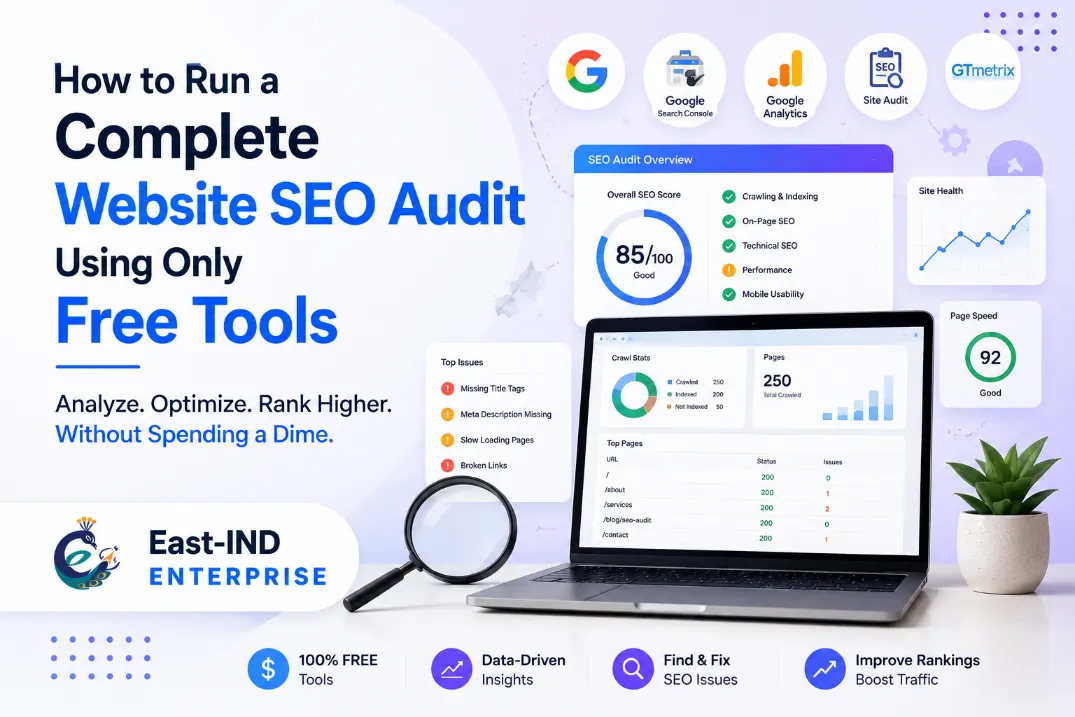
How to Run a Complete Website SEO Audit Using Only Free Tools
Expert Byline
SEO Team
Release Date
August 28, 2026
In the modern digital landscape, the phrase "you get what you pay for" doesn't always apply to Search Engine Optimization. While enterprise-level platforms can cost hundreds or thousands of dollars a month, the truth is that the fundamental building blocks of a world-class website SEO analysis can be executed entirely for free. If you know where to look and how to interpret the data, you can build an enterprise-grade SEO audit report without spending a single dime.
Whether you need to check your website SEO to recover from a sudden traffic drop, or you are an agency looking for the best free website audit tools to prospect new clients and prove your value, this guide is your definitive blueprint. We are going to bypass the restrictive paywalls and build a "Frankenstein stack" of the industry's best SEO audit tools that offer robust free tiers or completely free access.
By the end of this comprehensive guide, you will know exactly how to execute a free website SEO audit, which free online SEO tools for website analysis you can actually trust, and how to compile your raw findings into a devastatingly effective strategy document.
Let’s dive into the ultimate step-by-step framework to audit a website free of charge.
Table Of Contents:
Pre-Audit Preparation: Setting Up Your Workspace
Before you run a single free web SEO checker, you need a place to organize your data. An audit is only as good as the action items it produces.
Your first step: Open Google Sheets (a free tool itself) and create a master workbook. Create the following tabs at the bottom:
- Executive Summary (For high-level overviews)
- Technical Errors (404s, redirect chains, indexation issues)
- On-Page & Content (Missing meta tags, poor headings, thin content)
- Off-Page & Links (Backlink gaps, toxic links)
- Page Speed & UX (Core Web Vitals data)
As we move through this free site audit, you will export data from our tools and paste the highest-priority issues into these corresponding tabs.
Phase 1: The Technical SEO Foundation & Crawlability
Before you worry about keywords or writing new blog posts, you must ensure search engine bots can actually crawl, understand, and index your site. A free technical SEO audit forms the absolute baseline of your report.
Tool 1: Google Search Console (GSC)
If you want to check SEO health of a website accurately, you must go straight to the source. Google Search Console is the undisputed king of the Google Search Console SEO audit. It is 100% free, provides data directly from Google’s index, and is the most vital free website audit checker in your arsenal.
- How to Extract Audit Data:
- Navigate to the Pages report (under the Indexing tab).
- Filter for "Not indexed." This is the most critical part of your SEO free site audit. You are looking for high-value pages that Google is refusing to show in search results.
- Identify specific errors like "Crawled - currently not indexed" (often a content quality issue), "Discovered - currently not indexed" (often a crawl budget or server issue), or "Soft 404s."
- Add to Report: Export this list to your "Technical Errors" tab. Detail the specific URLs and the exact reason Google is flagging them.
- Best For: Finding manual penalties, checking page indexing status, and viewing true organic click-through rates.
Tool 2: Screaming Frog SEO Spider (Free Version)
Screaming Frog is the industry-standard desktop crawler. The free version allows you to crawl up to 500 URLs, making it the perfect SEO audit software free for small to medium-sized sites. It acts exactly like a search engine bot, crawling through your site's architecture.
- How to Extract Audit Data:
- Download the software, enter your domain at the top, and click "Start" to initiate your free website SEO scan.
- Navigate to the Response Codes tab. Filter by "Client Error (4xx)" to find broken links. These frustrate users and waste crawl budget.
- Navigate to the Directives tab and filter by "Noindex." Ensure you haven't accidentally blocked important pages from search engines.
- Check the Canonicals tab to ensure you don't have missing or conflicting canonical tags, which leads to duplicate content issues.
- Add to Report: Export the broken links (4xx) report. Add a section to your audit titled "Crawlability & Broken Links," providing the exact URLs that need 301 redirects mapped out.
- Best For: Deep-dive technical SEO audit tools analysis, finding orphan pages (pages with no internal links), and analyzing crawl depth.
Phase 2: On-Page Content, Architecture, and Intent
Once the technical foundation is secure, your SEO website analysis tool free stack needs to evaluate the content itself. This phase of the web SEO analysis ensures you are targeting the right keywords and structuring your pages logically for both users and bots.
Tool 3: Detailed SEO Extension (Chrome Extension)
For a rapid free on page SEO analysis tool, the Detailed SEO extension is unmatched. It provides a comprehensive X-ray of any URL’s on-page elements with a single click.
- How to Extract Audit Data:
- Load your top 5 highest-converting pages (e.g., your homepage, top service pages, or best-selling products).
- Click the extension icon. Review the Title and Description character counts. Are they too long and getting truncated in the SERPs? Are they missing primary keywords?
- Click the Headings tab. Ensure there is exactly one H1 tag per page. Verify that H2s and H3s follow a logical, nested hierarchical structure without skipping levels.
- Add to Report: Log pages with missing H1s, duplicate meta descriptions, or poor heading structures into your "On-Page & Content" tab.
Tool 4: Google Search (Manual SERP Analysis)
The best free SEO site analysis tool is Google itself. To check page SEO effectively, you must understand Search Intent.
- How to Extract Audit Data:
- Take your top target keyword and search it in Google (use an Incognito window).
- Analyze the top 5 results. What type of content is ranking? Are they long-form guides, quick product pages, or listicles?
- If your page is a 3,000-word guide, but the entire first page of Google consists of e-commerce product categories, your search intent is mismatched. You will never rank, regardless of how good your content is.
- Add to Report: Note any pages on your site that suffer from "Intent Mismatch" and recommend a complete content restructure.
Tool 5: SEOPtimer
If you need to generate a client-facing document quickly, or want a high-level visual grade, the SEOPtimer free tool is fantastic. It acts as an instant free SEO audit report generator.
- How to Extract Audit Data:
- Go to the SEOPtimer free tools website and plug in your homepage URL.
- The tool will run a comprehensive SEO site checkup free, grading your On-Page SEO, Links, Usability, and Performance.
- Add to Report: While you shouldn't rely solely on automated grades, you can use this platform to generate a free SEO audit report PDF. Extract their visual charts and place them in the Executive Summary of your manual report to clearly illustrate to stakeholders where the site is lacking visually.
Phase 3: Off-Page SEO and Backlink Profile Health
A massive part of your SEO competitive analysis tools strategy involves understanding domain authority and link equity. Finding a good backlink audit free tool is notoriously difficult, as most enterprise platforms lock this data away behind expensive paywalls. Here is how to bypass that to check SEO on a website thoroughly.
Tool 6: Ahrefs Webmaster Tools (AWT)
This is the holy grail for a free backlink audit. Ahrefs allows you to verify your website ownership (just like Google Search Console) and access their world-class, multi-billion page link index for your own site for free.
- How to Extract Audit Data:
- Sign up for AWT and verify your domain.
- Navigate to the Backlink Profile dashboard. Document your Domain Rating (DR) and total Referring Domains.
- Check the "Anchors" report. Is your anchor text overly optimized? For example, if 80% of your inbound links use the exact phrase "buy cheap shoes," this is a massive red flag for a Google spam penalty. Natural profiles have a mix of branded, naked URLs, and generic anchors (like "click here").
- Add to Report: Create a "Link Profile Health" section. Document your DR, flag any toxic or spammy anchor text concentrations, and identify any high-value links that have recently been lost or broken.
Tool 7: Moz Link Explorer (Free Tier)
Moz offers a free domain SEO analysis tool that allows a limited number of queries per month. It is excellent for checking the website authority score of your competitors to establish a baseline.
- How to Extract Audit Data:
- Plug your top 3 competitors into the free online SEO tools for website analysis.
- Document their Domain Authority (DA) and Page Authority (PA).
- Add to Report: Create a "Competitive Benchmark" table in your spreadsheet. Compare your site's DA against the competitors to show stakeholders exactly how large the "link gap" is that you need to close through digital PR and outreach.
Phase 4: Local SEO (For Brick & Mortar Businesses)
If the website you are auditing relies on local foot traffic or serves a specific geographic area, a free local SEO audit is mandatory. General SEO analysis free tools often overlook the map pack.
Tool 8: Google Business Profile (GBP) Performance Insights
- How to Extract Audit Data:
- Log into the GBP dashboard for the business.
- Check for absolute profile completeness. Are the hours accurate? Is the phone number tracking? Are there localized categories selected?
- Review the Q&A section and Review response rate. A lack of owner responses to reviews (both good and bad) is a negative local ranking signal.
- Add to Report: Note any missing NAP (Name, Address, Phone Number) consistencies across the web, and flag an incomplete Google Business Profile as a high-priority, quick-win fix.
Phase 5: Core Web Vitals & Page Experience
Google’s algorithm prioritizes sites that load fast and offer a seamless, frustration-free user experience. You must include performance metrics in your free website audit checker workflow, especially looking at mobile optimization.
Tool 9: Google PageSpeed Insights
This is the ultimate free web audit tool for performance because it gives you the exact lab and field data Google uses to evaluate your site in its actual algorithm.
- How to Extract Audit Data:
- Enter your homepage and a key inner page (like a heavy blog post or image-rich product page).
- Toggle between the "Mobile" and "Desktop" results. Pay critical attention to the Core Web Vitals: Largest Contentful Paint (LCP), Interaction to Next Paint (INP), and Cumulative Layout Shift (CLS).
- Scroll down to the "Opportunities" and "Diagnostics" sections. These are direct directives from Google. Does it recommend converting images to WebP? Or deferring unused JavaScript?
- Add to Report: Log the Mobile and Desktop scores. More importantly, copy the top three developer recommendations from the "Opportunities" section into your audit under "UX & Site Speed Fixes" so a web developer knows exactly what to patch.
Phase 6: Traffic Quality and Engagement Analysis
An audit isn't just about finding broken things; it's about finding out how users behave once they arrive.
Tool 10: Google Analytics 4 (GA4)
While GSC tracks search engine behavior, GA4 tracks user behavior. It is an indispensable site SEO analysis tool.
- How to Extract Audit Data:
- Navigate to Reports > Engagement > Pages and Screens.
- Look for pages with high traffic but incredibly low "Engagement Rates."
- If a page gets 1,000 visitors a month but has a 10% engagement rate, it means the content is poor, the page loads too slowly, or the search intent was deceptive.
- Add to Report: Identify the top 5 "leaky bucket" pages—pages that get traffic but fail to engage or convert users. Recommend these for immediate content refreshes.
Compiling Your Free SEO Audit Report
Running the tools is only 20% of the job; synthesizing the data is where the true value lies. The best SEO audit tools are useless if the data isn't presented logically. Your final SEO audit report online should not just be a massive, confusing data dump.
Structure your final deliverable (transferring data from your Google Sheet to a formatted Google Doc or PDF) exactly like this:
- Executive Summary: A one-page, jargon-free overview of the site's overall health. Use visual charts generated from your free online SEO audit tools (like SEOPtimer) to make it digestible for C-suite executives or non-technical clients.
- Critical Errors (Fix Immediately): The "house is on fire" issues. Server errors, broken 404 links, accidental noindex tags on money pages, and manual penalties found via GSC and Screaming Frog.
- On-Page & Intent Opportunities: Missing meta tags, poor H1 structures, keyword cannibalization, and thin content identified during your web SEO analysis.
- Off-Page & Competitor Benchmarks: Your backlink health vs. competitors using Ahrefs and Moz data, along with local SEO citation gaps.
- Technical & Speed Enhancements: Core Web Vitals recommendations directly from PageSpeed Insights, formatted for a developer to implement.
The Professional Edge: Customizing and Scaling Your Workflow
While piecing together a comprehensive website SEO analysis free online using the fragmented tools listed above is highly effective for beginners or low-budget projects, jumping between ten different platforms, constantly exporting CSV files, and manually formatting spreadsheets can cost you dozens of hours per audit. As your business scales, your time becomes your most valuable asset.
This is where elevating your strategy becomes essential. Using papaweb.app or contacting them directly will help you completely customize your audit workflow. They understand that no two websites—and no two client goals—are exactly the same.
Instead of relying on a scattered, Frankenstein approach to free tools for website audit, they offer a incredibly diverse, integrated tools basket. Exploring what they have to offer will be a smart, winning move any professional can make to save time and increase accuracy. Whether you need a streamlined, automated free white label SEO audit tool to instantly generate branded client reports, or advanced SEO tools for website analysis consolidated into one powerful, easy-to-read dashboard, partnering with a dedicated platform bridges the gap between a manual free audit and an enterprise-level growth strategy.
Final Thoughts
You do not need an endless marketing budget to analyse my website SEO or understand why a site is failing to rank. By mastering this specific stack of the best free SEO analysis tools—leveraging GSC for indexing, Screaming Frog for deep crawling, Ahrefs for link profiles, Detailed for on-page checks, and PageSpeed Insights for UX—you possess everything you need to uncover growth-blocking errors.
The secret to SEO isn't having the most expensive software; it is having the discipline to run this site audit for free on a quarterly basis, document your findings meticulously, implement the recommended fixes, and watch your organic visibility soar.